When the Key Is Also the Keychain: Passkeys, Lost Devices, and the Recovery Gap
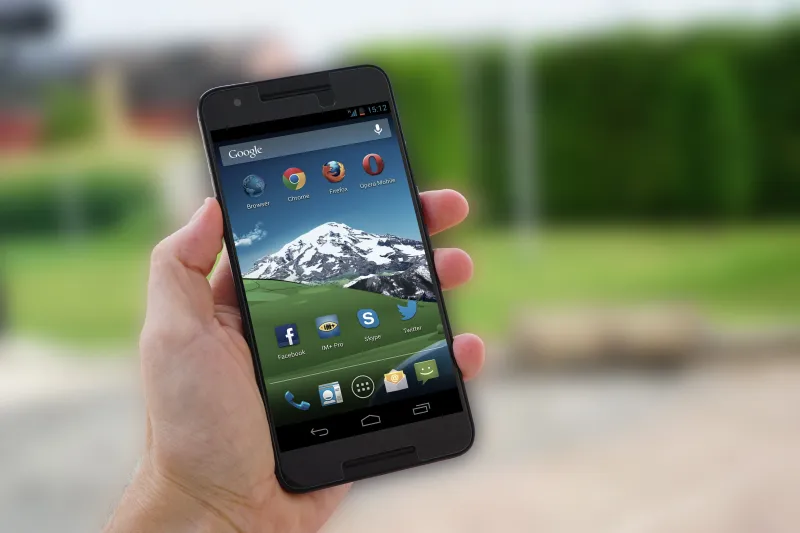
Photo: smartphone passkey login fingerprint authentication close-up, via images.pexels.com
Passkeys have spent the past few years being described as the quiet end of password theft. The pitch is straightforward: instead of a reusable secret that can be phished, guessed, or dumped in a breach, you get a cryptographic credential tied to a device and unlocked by a fingerprint, face scan, or PIN. For a US audience accustomed to a new breach notice every few weeks, that sounds like progress. It mostly is. But passkeys do not remove the need for recovery. They relocate it.
The convenience trade, stated plainly
A passkey is built on public-key cryptography. The service holds a public key; your authenticator holds the private key. When you sign in, the two perform a challenge-response exchange. The private key never leaves the authenticator, and a phishing site cannot simply replay it. That is the core security gain.
The operational question is where that authenticator lives. For many consumers, it is the platform keychain: iCloud Keychain on Apple devices, Google Password Manager on Android and Chrome, or a third-party password manager. Those systems sync passkeys across devices, which is convenient and usually more resilient than a single handset. The alternative is a device-bound passkey or a hardware security key. Both can be strong, but both change the recovery story.
What losing a phone really costs
If your passkeys are synced through a cloud account, losing a phone is not automatically a lockout. You sign in to the same Apple or Google account on a replacement device, restore the keychain, and continue. The catch is that the cloud account becomes a single point of failure. If you cannot get into that account — because the password is forgotten, the second factor is on the lost phone, or a recovery contact is outdated — the passkey backup may be there but unreachable.
If your passkeys are device-bound, the calculus is harsher. The credential is gone with the hardware. Some services let you register multiple passkeys, so a backup hardware key or a second phone can prevent a crisis. Others still assume one primary authenticator and a fallback that may be an emailed link or an SMS code. That fallback becomes the real security boundary.
Recovery is the new attack surface
Security teams often say that attackers do not break encryption; they use the front desk. The same logic applies to passkeys. Account recovery is now where the pressure moves. A support agent who resets access after a convincing phone call, an email inbox that is itself protected by a weak password, or a carrier store that hands over a SIM without enough verification can all undo a strong authentication setup.
This is why passkey enrollment should be treated as an account-recovery project, not a one-click upgrade. Before you commit, check whether the service allows more than one passkey, whether it issues backup codes, and whether recovery depends on a phone number you still control. If the only fallback is SMS, the account is only as strong as your carrier's authentication practices.
Families, shared devices, and hand-me-downs
US households rarely have one person, one phone, one account. A family iPad may be signed in to a shared media account. A teenager may inherit a parent's old iPhone. A grandparent may use a phone set up by an adult child. Passkeys complicate these arrangements because they are usually tied to an individual platform account, not to the physical device alone.
When a device changes hands, wiping it is necessary but not sufficient. The old owner should revoke the device from their platform account and review saved passkeys. The new owner should not inherit a keychain full of someone else's credentials. For shared accounts, the safer pattern is individual logins with delegated access where the service supports it, rather than one passkey passed around a household.
A pre-flight checklist
Consumers do not need to understand the cryptography to ask better questions. Register at least two authenticators where possible: the phone's keychain and a hardware key, or two devices in the same ecosystem. Store backup codes offline. Confirm that the recovery email and phone number are current. Test sign-in on a second device before trusting the setup. Keep the cloud account that stores the keychain at least as secure as the accounts it protects.
It is also worth writing down, in a private place, which services use passkeys and where the backups live. That sounds old-fashioned, but lockouts are rarely solved by memory alone.
The bottom line
Passkeys are a meaningful improvement against phishing and credential stuffing. They are not a magic eraser for account-takeover risk. They concentrate risk in the device, the cloud account, and the recovery desk. For US users, the right posture in 2026 is neither resistance nor blind adoption. It is to treat passkeys as one layer in a recovery plan that assumes hardware will be lost, replaced, or handed down.